How to Create a Birthday Countdown on Your iPhone with Widgets
Create a birthday countdown on your iPhone and track days until your special event. Follow this step-by-step guide with screenshots to add a birthday countdown widget to your Home and Lock Screen.

Knowing exactly how many days are left until your birthday makes the wait more exciting and helps you plan ahead. Instead of manually counting dates in your calendar, you can create a birthday countdown on your iPhone that automatically calculates the remaining days and updates in real time. With the Countdown X app, you can set up a dedicated birthday countdown in seconds and always know how close your special day is.
By adding a Home Screen or Lock Screen widget, your birthday countdown becomes visible every time you use your phone. Whether you prefer a large visual progress display or a minimal daily reminder, widgets make tracking simple and effortless. In this guide, you’ll learn how to create a birthday countdown and display it on your iPhone step by step.
Step 1: Create a Birthday Countdown Event
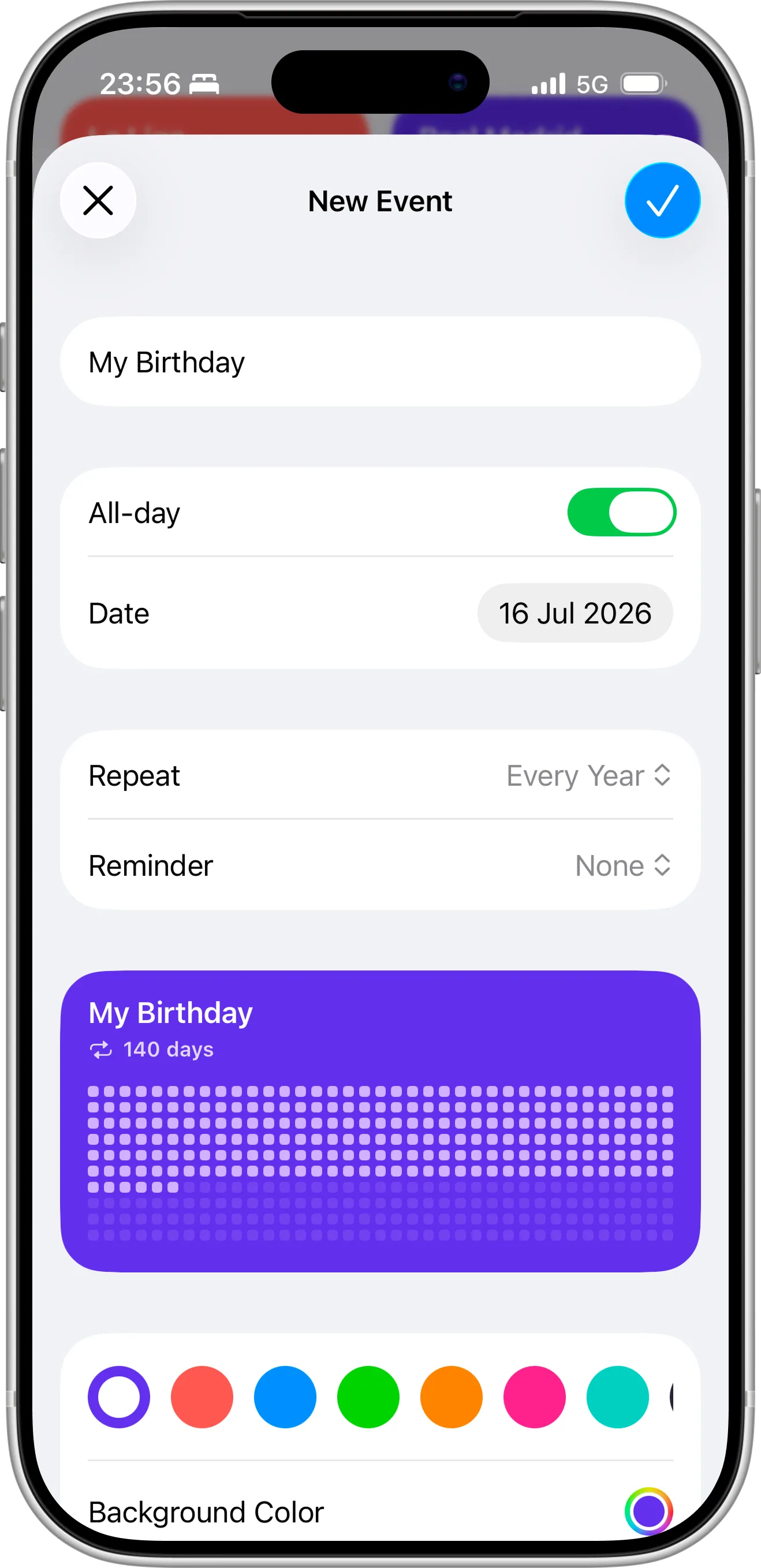
- Open the Countdown X app on your iPhone.
- Tap “+” icon.
- Enter a name (for example, My Birthday).
- Select your birthday date.
- Enable Repeat yearly (recommended).
- Save the event.
Your birthday countdown will now automatically calculate how many days are left until your special day.
Step 2: Add a Birthday Countdown to Your Home Screen
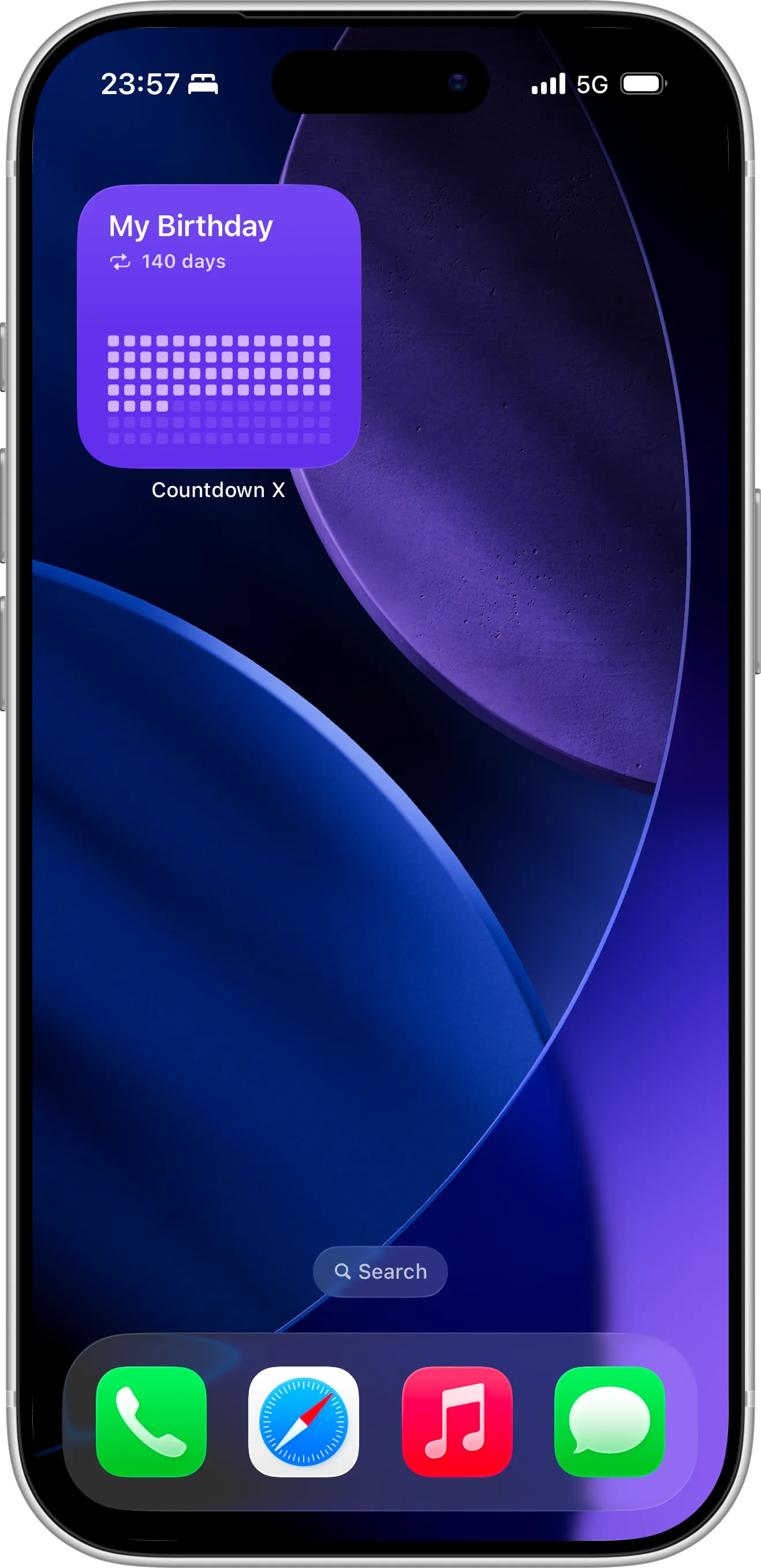
Adding a Home Screen widget lets you see your birthday countdown every time you unlock your phone. If you’re not sure how to add or customize widgets, follow our detailed guide on setting up Home Screen widgets for your countdowns to configure everything correctly.
With a Home Screen widget, you can:
- Track days remaining in real time
- See visual progress toward your birthday
- Customize widget size and layout
- Keep your most important event front and center
Step 3: Add a Birthday Countdown to Your Lock Screen
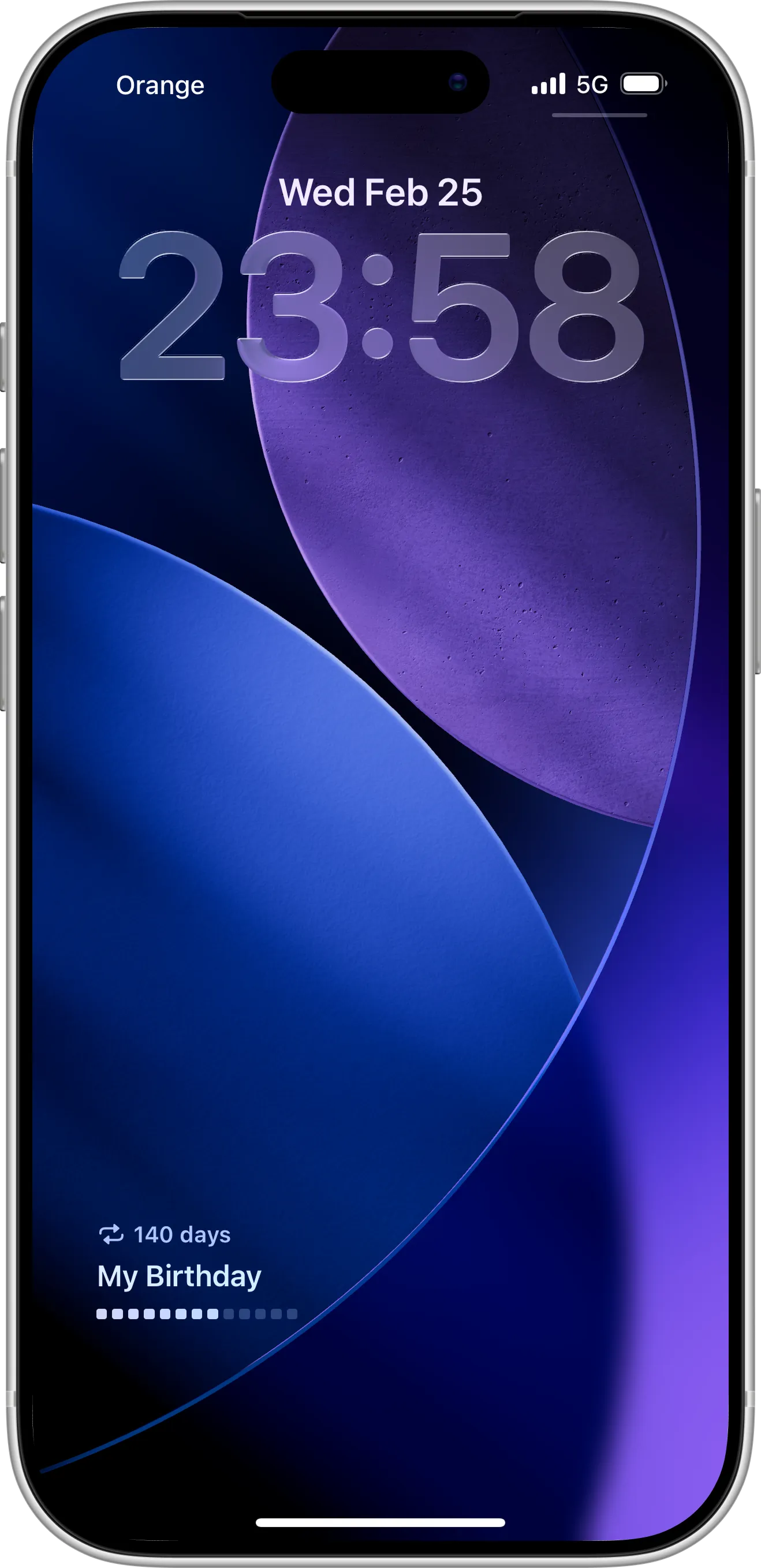
Prefer something more minimal? A Lock Screen widget shows your birthday countdown instantly — even before unlocking your device. You can follow our step-by-step tutorial on how to set up Lock Screen widgets for quick countdown tracking to add it in seconds.
Lock Screen widgets are perfect for:
- Quick daily motivation
- Minimalist setups
- Always-visible event tracking
- Clean and distraction-free layouts
Why Use a Birthday Countdown Widget?
A birthday countdown widget is more than just a timer. It helps you:
- Stay excited and motivated
- Plan celebrations in advance
- Track milestones as the date approaches
- Visually see progress instead of guessing
Seeing your birthday countdown every day builds anticipation and makes planning easier.
Make Every Birthday Count
A birthday countdown widget keeps your special day visible and helps you stay organized as the date approaches. From planning a party to setting personal goals before your next milestone, seeing the countdown daily builds excitement and makes preparation easier.
Download the Countdown X app to create your birthday countdown, customize your widgets, and track every important event throughout the year — all directly from your iPhone’s Home and Lock Screen.